Here we have Compared the best AI video generator tools for creative professionals, including features, pricing, pros, cons, and best-use recommendations.
Image source gecdesigns.com
A few years ago, creating a polished video meant planning a shoot, finding stock footage, editing timelines, adding voiceovers, fixing transitions, and exporting version after version until everything looked right. For many creative professionals, that process was exciting, but also time-consuming, expensive, and sometimes frustrating when deadlines were tight.
Today, AI video generators are changing that workflow. They are not replacing creative thinking, but they are making it easier to turn ideas into moving visuals faster. Whether you are a designer creating campaign concepts, a marketer building social ads, a YouTuber preparing content, or a small business owner trying to make videos without a full production team, the right AI video tool can save hours of work.
In this guide, we’ll compare six popular AI video generator tools: OpenArt AI, PixVerse AI, Renderforest, InVideo AI, Envato AI Video Generator, and Adobe Firefly Generate Video. The goal is simple: help you decide which one fits your creative workflow, budget, and content goals without overwhelming you with unnecessary technical details.
Why AI Video Generators Have Become a Must-Have for Creatives
Creative professionals are under more pressure than ever to produce more content across more platforms. A single campaign may need a YouTube video, Instagram Reel, product teaser, animated visual, website banner, short ad, and multiple social media variations. Doing all of that manually can quickly drain time, budget, and creative energy.
This is where AI video generators become useful. They help you create videos from prompts, images, scripts, templates, or existing assets. Some tools are better for cinematic AI clips, some are better for brand videos, and some are more practical for social media or marketing workflows. The real value is not just speed; it is the ability to test more ideas before committing to a final direction.
In my experience with creative planning, the biggest advantage of AI video tools is not that they make everything perfect in one click. Their real strength is helping you move from “I have an idea” to “I can see this idea working” much faster. That small shift can make a huge difference when you are pitching, experimenting, or creating content regularly.
Key Highlights
AI video tools help reduce production time and creative friction.
Different tools serve different needs: social content, business videos, concept visuals, or commercial workflows.
The best AI video generator depends on your use case, not just the feature list.
Creative professionals benefit most when AI is used as a workflow assistant, not a complete replacement.
How We Compared These AI Video Generator Tools
To make this comparison useful, we looked beyond the usual “features and pricing” checklist. A creative professional does not choose a video tool only because it has text-to-video or image-to-video. The better question is: Will this tool help me create the type of video I actually need, with the quality and control I expect?
For this article, each tool is compared based on ease of use, video generation style, creative flexibility, template support, commercial usefulness, pricing structure, credit system, output quality, and best-fit audience. We also considered whether the tool is better for beginners, professionals, agencies, social creators, or brand-conscious teams.
Pricing is especially important because AI video tools often use credits, generation limits, model-based usage, or plan-based access. These details can change frequently, so the pricing notes below should be treated as a practical guide, while the final subscription decision should always be checked on the official pricing page before purchase.
Key Highlights
The comparison focuses on real creative workflows, not only feature names.
Pricing is handled carefully because AI video plans and credit systems change often.
Each tool is recommended based on best-fit use case.
The goal is to help readers choose confidently before subscribing.
Quick Comparison Table: Best AI Video Generator Tools
Tool
Best For
Key Strength
Pricing Note
Best User Type
OpenArt AI
Creative storytelling and experiments
Multi-model AI creative studio
Advanced plan shown at $14.50/seat/month annually with 12,000 credits
Artists, AI creators, visual storytellers
PixVerse AI
Short-form social AI videos
Text/image-to-video and viral-style effects
Official site highlights AI video creation; app/API pricing can vary
Social creators, short-form video makers
Renderforest
Business and branded videos
Templates, AI video, branding, and design tools
Pro plan shown at $24/month standard price, with discounted first-year pricing shown
Small businesses, marketers, startups
InVideo AI
Marketing and content videos
200+ models, stock access, AI video agent
Plus plan shown from $17/month billed yearly
YouTubers, marketers, agencies
Envato AI Video Generator
AI video plus creative assets
AI tools with templates, stock, music, and creative assets
Subscription includes AI tools and commercial creative assets
Designers, freelancers, agencies
Adobe Firefly
Brand-conscious professional video
Adobe ecosystem, generative credits, 1080p MP4 video
Firefly Standard shown at $9.99/month with 2,000 credits
Adobe users, brands, professional creators
OpenArt AI Review: Best for Creative Storytelling and Visual Experiments
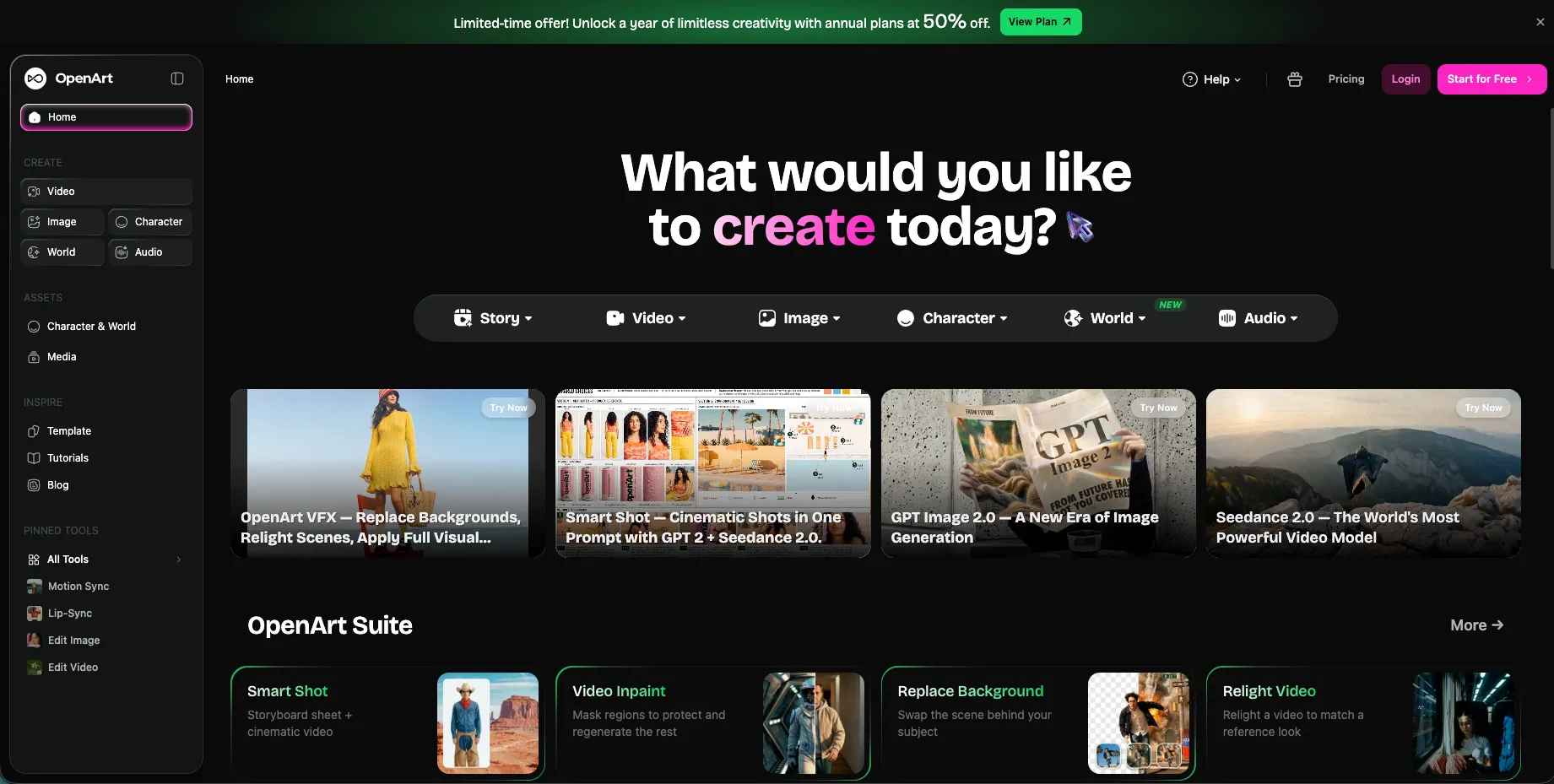
OpenArt AI is a strong choice for creative professionals who want more than a basic text-to-video generator. It feels closer to a creative AI studio where you can explore images, characters, stories, videos, and multiple visual directions in one place. For designers, artists, and content creators who like experimenting before finalizing a concept, this can be a major advantage.
One of the strongest things about OpenArt is its flexibility. It gives creators access to a wide range of image, video, and audio models, which makes it useful for building visual ideas across formats. Instead of treating video as a separate task, OpenArt fits better for creators who want to develop a full visual world; characters, scenes, concepts, and motion.
For example, if you are building a fantasy product campaign, a mood-based fashion reel, or a concept video for a client presentation, OpenArt can help you explore visual styles before moving into final production. It is especially useful when you do not want to stay locked into one fixed template or one specific editing format.
Key Features
AI image and video generation tools.
Access to 100+ premium image, video, and audio models on higher plans.
Character, story, and personalized model features.
Credit-based plans for different usage levels.
Useful for creative exploration, storyboarding, and concept development.
OpenArt’s pricing page highlights access to 100+ premium image, video, and audio models on the Advanced plan and above, with higher plans offering more credits, more parallel generations, and more creative capacity.
Advantages
OpenArt is ideal for creators who want creative freedom. It gives you room to explore, test visual directions, and build ideas across still images and videos. This makes it helpful for artists, visual storytellers, content creators, and design professionals who want AI to support ideation, not just produce a quick output.
Another advantage is that OpenArt can support different stages of the creative process. You can start with image ideas, develop characters, explore styles, and then move toward video generation. This makes it especially useful for people who need a broader creative playground instead of a single-purpose video maker.
Best-Fit Considerations
OpenArt may feel most valuable when you enjoy experimenting with prompts, styles, characters, and models. If your main need is only a polished business intro or a quick corporate presentation video, a template-based tool may feel more direct. But for creative professionals who want flexibility and exploration, OpenArt is one of the more interesting options in this list.
Pricing
OpenArt currently lists multiple individual plans, including Essential, Advanced, Infinite, and Wonder. The Advanced plan is shown at $14.50 per seat/month when billed annually, with 12,000 credits/month and up to approximately 150 videos.
Best For:
AI Artists, Creative Professionals, Storytellers, Content creators, and Designers who want a flexible AI Creative studio.
Key Highlights
Best for visual exploration and creative storytelling.
Useful for creators who work across images, characters, and videos.
Good fit for concept videos, storyboards, and social visuals.
Pricing is credit-based, so usage planning matters.
PixVerse AI Review: Best for Short-Form and Social-First AI Videos
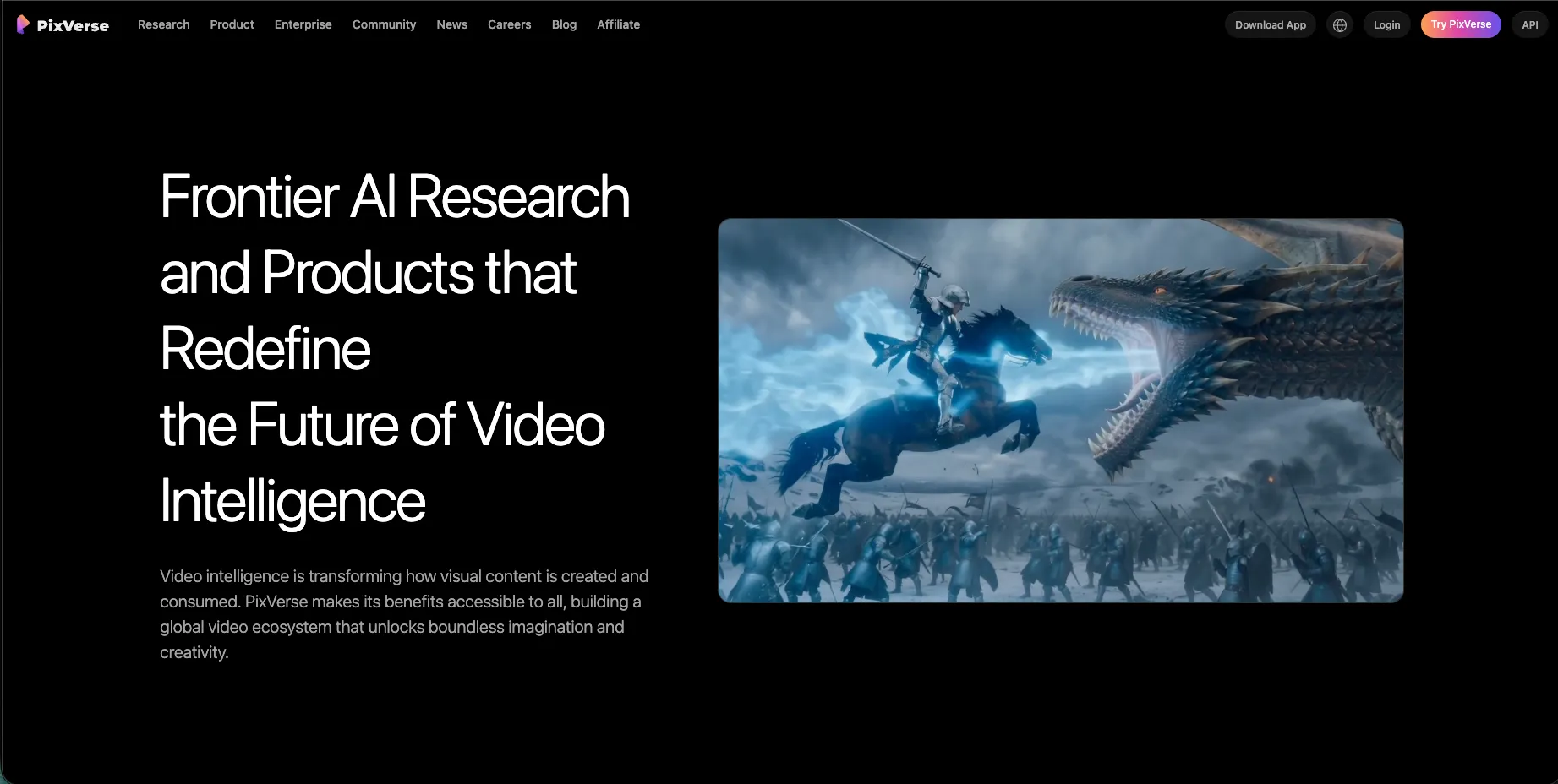
PixVerse AI is a strong option for creators who want quick, visually engaging AI videos for social platforms. Its official website describes text/image-to-video creation, AI templates, and a platform designed to make AI video generation accessible to professionals and enthusiasts.
The biggest appeal of PixVerse is speed and social creativity. It is well-suited for creators who want to turn a prompt or image into a short video without building a full editing project from scratch. This makes it especially useful for Instagram Reels, TikTok-style clips, YouTube Shorts, meme-inspired visuals, and quick campaign experiments.
PixVerse also has a creator-friendly feel because it focuses on dynamic video generation. If you are testing ideas for a brand page, a product teaser, or a trend-based social post, PixVerse can help you create visual movement quickly. For many creators, that speed is more valuable than having a complex editor with dozens of manual controls.
Key Features
Text-to-video generation.
Image-to-video generation.
AI templates and trending creative effects.
Mobile-friendly video creation experience.
Suitable for fast social content and short creative clips.
PixVerse’s official app listing describes it as an all-in-one AI video maker that can transform text into video and animate images in seconds, with proprietary AI models and access to external models for different styles and effects.
Advantages
PixVerse is helpful when your priority is fast idea-to-video creation. Social media creators often need to test many ideas quickly, and PixVerse fits that rhythm well. It allows creators to work with prompts or photos and produce short videos that feel suitable for modern social platforms.
It is also useful for creators who do not want to start inside a heavy editing timeline. Instead of manually arranging stock clips, transitions, and effects, you can use AI to create a short moving visual from a simple idea. That makes PixVerse attractive for creators who value speed and trend responsiveness.
Best-Fit Considerations
PixVerse is especially strong for short-form content. For highly structured corporate explainers, long-form YouTube videos, or detailed branded presentations, another tool may offer more workflow support. But for quick social visuals, viral-style clips, and creative experiments, PixVerse is easy to recommend.
Pricing
PixVerse pricing can vary depending on whether you are using the consumer app, web experience, or API access. Because pricing visibility may differ by platform and region, the safest approach in an affiliate article is to include a “Check Latest PixVerse Pricing” button rather than locking the article to a number that may change quickly. PixVerse’s official website emphasizes AI video creation for both professionals and enthusiasts, while its API positioning focuses on production-ready video workflows.
Best For:
Social media creators, Short-form Video Makers, Content Experimenters, and Creators who want fast AI-generated clips.
Key Highlights
Best for quick, social-first AI videos.
Strong fit for text-to-video and image-to-video experiments.
Useful for creators making Reels, Shorts, and viral-style clips.
Pricing should be checked directly before subscribing.
Renderforest Review: Best for Business Videos, Branding, and Templates
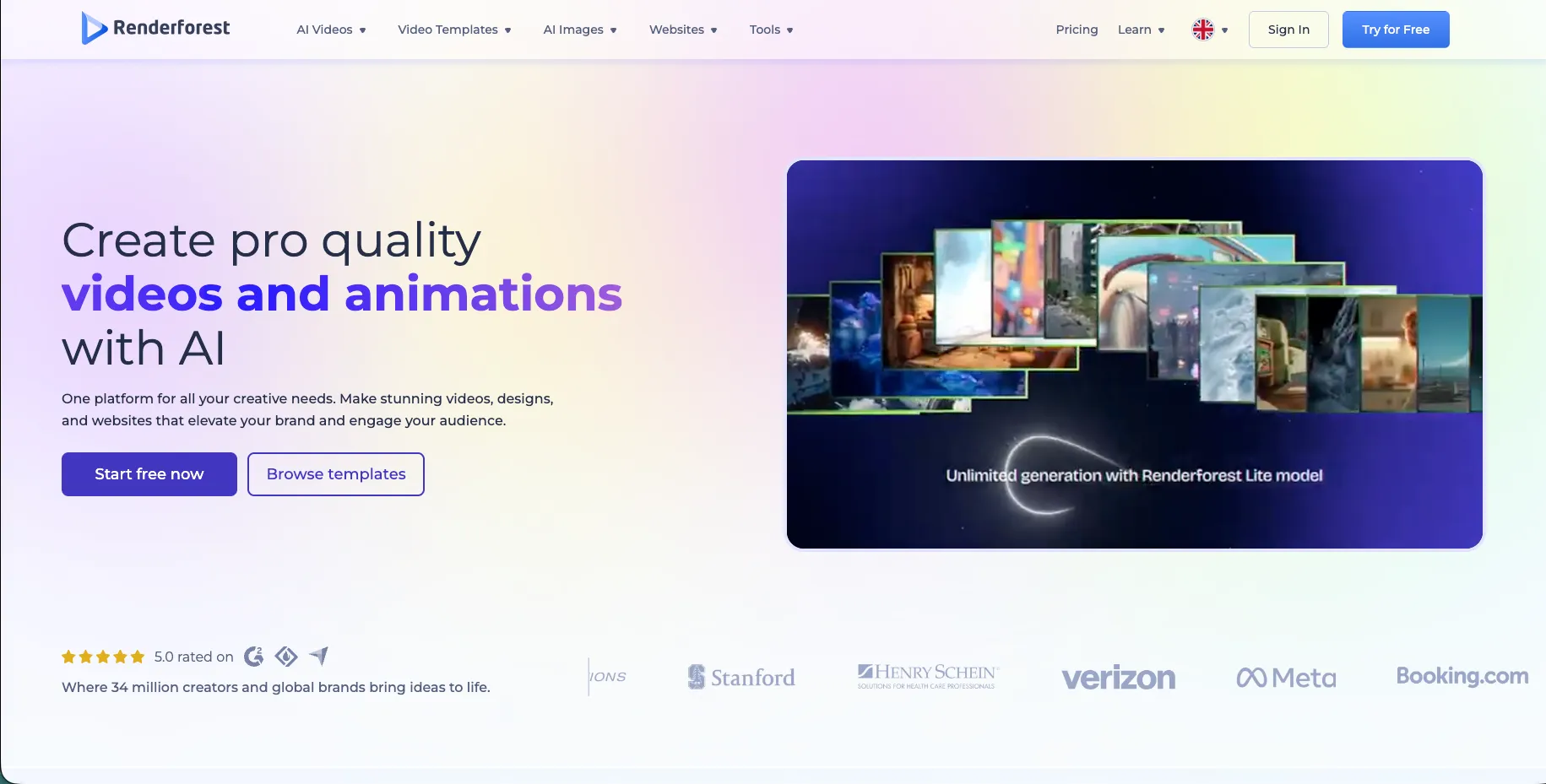
Renderforest is a practical choice for users who want AI video generation with structure. Unlike tools that focus mostly on prompt-based creativity, Renderforest also supports templates, branding, video editing, design, logo, and website-related workflows. This makes it especially useful for small businesses, marketers, educators, and startup teams.
What makes Renderforest attractive is that it reduces the fear of starting from a blank screen. Many business owners and marketing teams do not want to “prompt their way” into every video. They want a clean intro, a product video, a social post, a promotional animation, or a branded explainer that looks professional without needing advanced editing skills.
This is where Renderforest fits well. It gives users a more guided creative environment. If your goal is to make a business video that feels presentable, consistent, and brand-friendly, Renderforest may feel easier than a purely experimental AI video tool.
Key Features
AI video generator and AI video creation tools.
Text-to-video and image-to-video capabilities.
Ready-made templates for business and marketing videos.
Branding, design, logo, and website-related tools.
Commercial-use plans for professional projects.
Renderforest’s subscription page currently shows Pro and Business plans with monthly AI credits. The Pro plan includes 1,600 AI credits/month, while the Business plan includes 3,000 AI credits/month, with approximate generation capacity depending on selected AI models.
Advantages
Renderforest is strong for users who need polished, business-friendly output. It is not only about generating a short AI clip; it helps users create complete visual assets that can support marketing, branding, presentations, and product promotion. This makes it useful for businesses that need consistency.
Another advantage is ease of use. Template-driven workflows are helpful when you want a reliable structure. Instead of spending time deciding every visual detail from scratch, you can start from a format that already works and then customize it for your brand.
Best-Fit Considerations
Renderforest is best for people who value structure, branding, and business presentation. If your work is highly cinematic or experimental, you may also want a tool like OpenArt or PixVerse for ideation. But for practical brand videos, intros, explainers, and promotional content, Renderforest is one of the most approachable choices.
Pricing
Renderforest’s pricing page shows the Pro plan with 1,600 AI credits/month and the Business plan with 3,000 AI credits/month. It also notes approximate monthly creation capacity such as around 160 AI videos on Pro and around 300 AI videos on Business, depending on the model used.
Best For:
Small businesses, marketers, startup teams, educators, and professionals who need branded videos with templates.
Key Highlights
Best for business videos and template-based creation.
Good for users who want polished output without complex editing.
Useful for intros, explainers, promotional videos, and branded content.
AI credits and output options depend on the selected plan.
InVideo AI Review: Best for Marketing Videos and Content Workflows
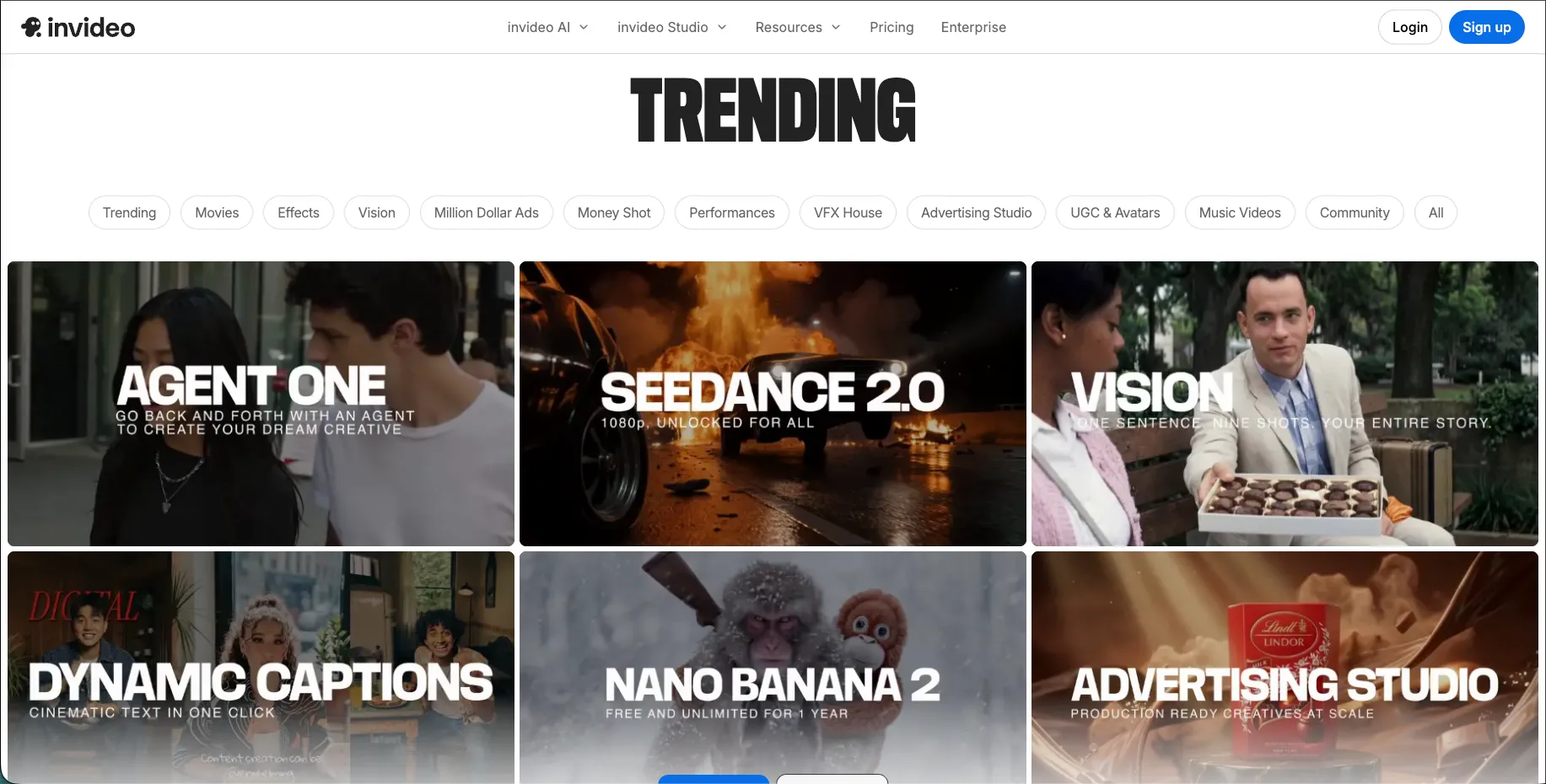
InVideo AI is a strong choice for marketers, YouTubers, educators, agencies, and content teams that need more than a short AI clip. It is built around a broader video creation workflow, making it useful for people who want scripts, stock footage, voice, subtitles, editing, and AI generation support in one place.
One of the biggest strengths of InVideo AI is its model access. Its pricing page says paid plans include access to 200+ image, video, audio, and music models, including models such as Veo 3.1, Sora 2 Pro, Kling 3.0, Nano Banana Pro, and ElevenLabs music. It also includes access to stock providers such as iStock and Storyblocks.
This makes InVideo AI especially useful for content creators who produce videos regularly. If you are making YouTube explainers, ads, social media campaigns, product videos, or educational content, having AI generation and stock resources together can save time.
Key Features
AI video generation from prompts.
Access to 200+ image, video, audio, and music models on paid plans.
InVideo v4 agent that can create up to 30 minutes of video from a prompt.
Stock provider access, including iStock and Storyblocks.
Support for marketing videos, social content, explainers, and YouTube-style videos.
InVideo’s pricing page also notes that model and agent prices are subject to change and that on-demand credit top-ups are available.
Advantages
InVideo AI is strong for users who want a complete content production flow. Many AI video tools are great at generating clips, but marketers often need a finished video with structure, script, voice, visuals, and edits. InVideo AI is useful because it supports more of that end-to-end process.
It is also helpful for teams that create regularly. If your business needs weekly videos, ads, explainers, or social content, having a tool that combines AI models with stock resources can make the workflow smoother and faster.
Best-Fit Considerations
InVideo AI works best when you want more than a single AI-generated shot. It may take some time to understand which models and credit choices fit your workflow best, but that flexibility can be valuable for creators and teams producing video content consistently.
Pricing
InVideo’s website lists paid plan pricing such as Plus from $17/month when billed yearly, Max from $85/month billed yearly, and Generative from $170/month billed yearly. Its pricing page also explains that paid plans include model access, stock providers, and the InVideo v4 agent, with credits used across generation features.
Best For:
Marketers, YouTubers, Agencies, Educators, and Businesses Creating regular Video content.
Key Highlights
Best for AI-assisted marketing and content videos.
Strong model access and stock provider support.
Useful for YouTube, ads, explainers, and social content.
Credit usage depends on models and generation choices.
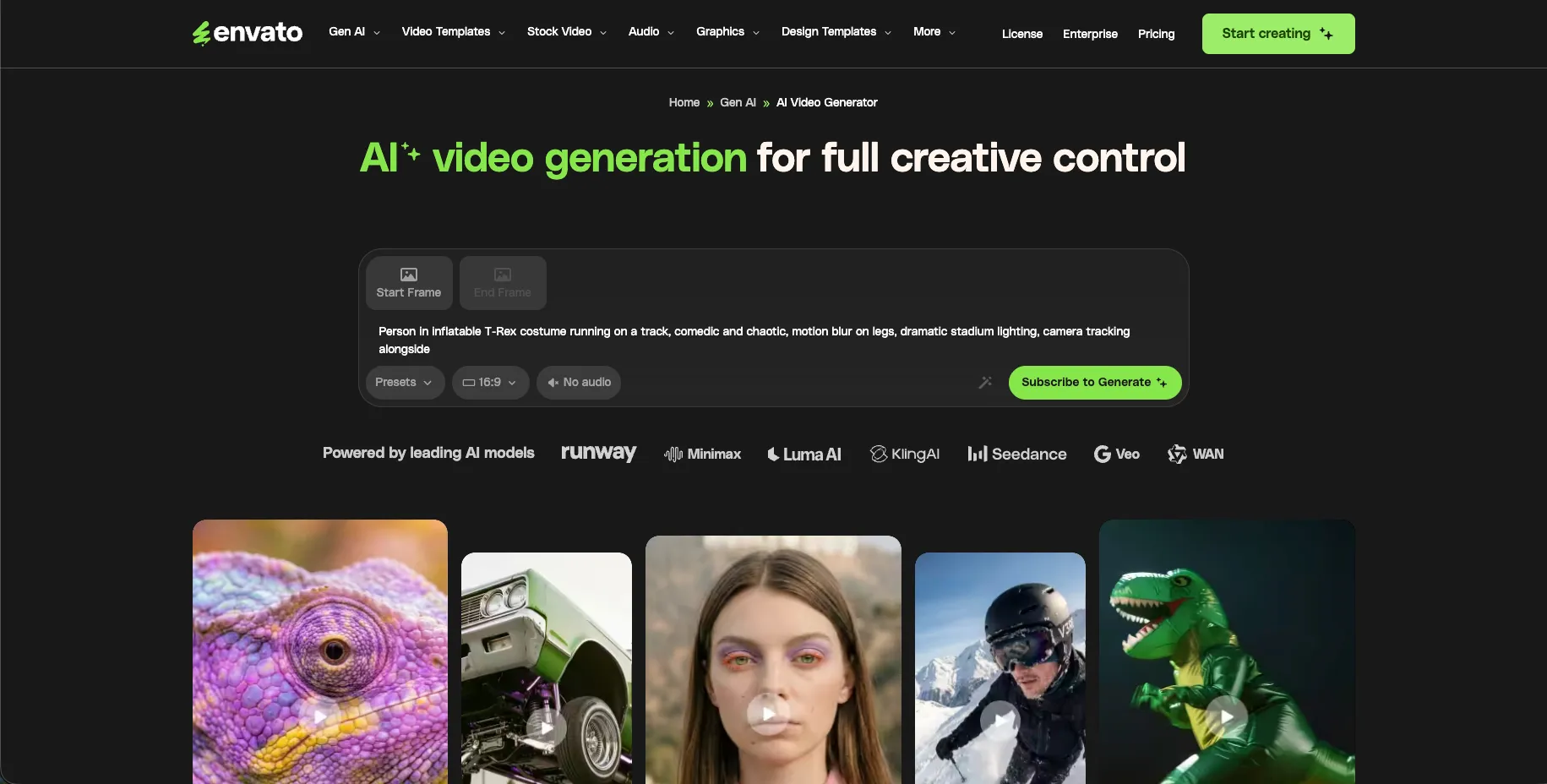
Envato AI Video Generator Review: Best for Designers Who Need AI Plus Creative Assets
Envato’s AI video offering is especially interesting because it is connected to a much larger creative ecosystem. For designers, agencies, freelancers, and marketing teams, this can be a real advantage. You are not only getting AI generation; you are also working alongside templates, stock footage, graphics, music, fonts, and creative assets.
Envato positions its AI tools as part of a broader creative workflow, with millions of assets and AI capabilities for images, video, and audio. Its Elements page describes AI tools built for creative work and mentions a lifetime commercial licence on generated and downloaded assets.
This makes Envato a strong option for professionals who rarely create video in isolation. A real campaign often needs music, graphics, intro templates, product mockups, transitions, thumbnails, fonts, and social media assets. Envato can support more of that creative ecosystem, which makes it useful for agencies and designers.
Key Features
AI video generation within the Envato creative ecosystem.
Access to templates, stock assets, music, fonts, graphics, and video resources.
AI tools for images, video, and audio.
Commercial-use creative asset workflow.
Useful for client projects, campaign visuals, and branded content.
Envato describes its platform as combining creative assets with AI capabilities and generative tools for images, video, and audio.
Advantages
Envato’s biggest advantage is workflow completeness. If you are a designer or agency professional, you often need more than generated video. You may need background music, overlay graphics, presentation templates, logo animations, and supporting visuals. Envato gives you a broader creative library to finish the project.
It is also useful for people who want one subscription to support many creative tasks. Instead of subscribing separately to a stock site, template library, music library, and AI tool, Envato can help consolidate part of that workflow.
Best-Fit Considerations
Envato may be most valuable for creators who already use or need creative assets regularly. If your only need is pure AI video generation, a dedicated AI video tool may feel more focused. But if you want AI video plus finishing assets for professional projects, Envato is a strong fit.
Pricing
Envato pricing and AI generation access can depend on the subscription tier and current plan rules. Because Envato’s offering is tied to a larger subscription ecosystem, the best affiliate approach is to include a “Check Latest Envato Pricing” button and explain that users should review the current AI generation limits before subscribing.
Best For:
Designers, freelancers, agencies, content teams, and creative professionals who need AI video plus stock assets, templates, and music.
Key Highlights
Best for creative professionals who need more than AI video.
Strong fit for agencies and designers working on client projects.
Useful for campaigns requiring video, music, graphics, and templates.
Pricing should be checked directly because plan rules may change.
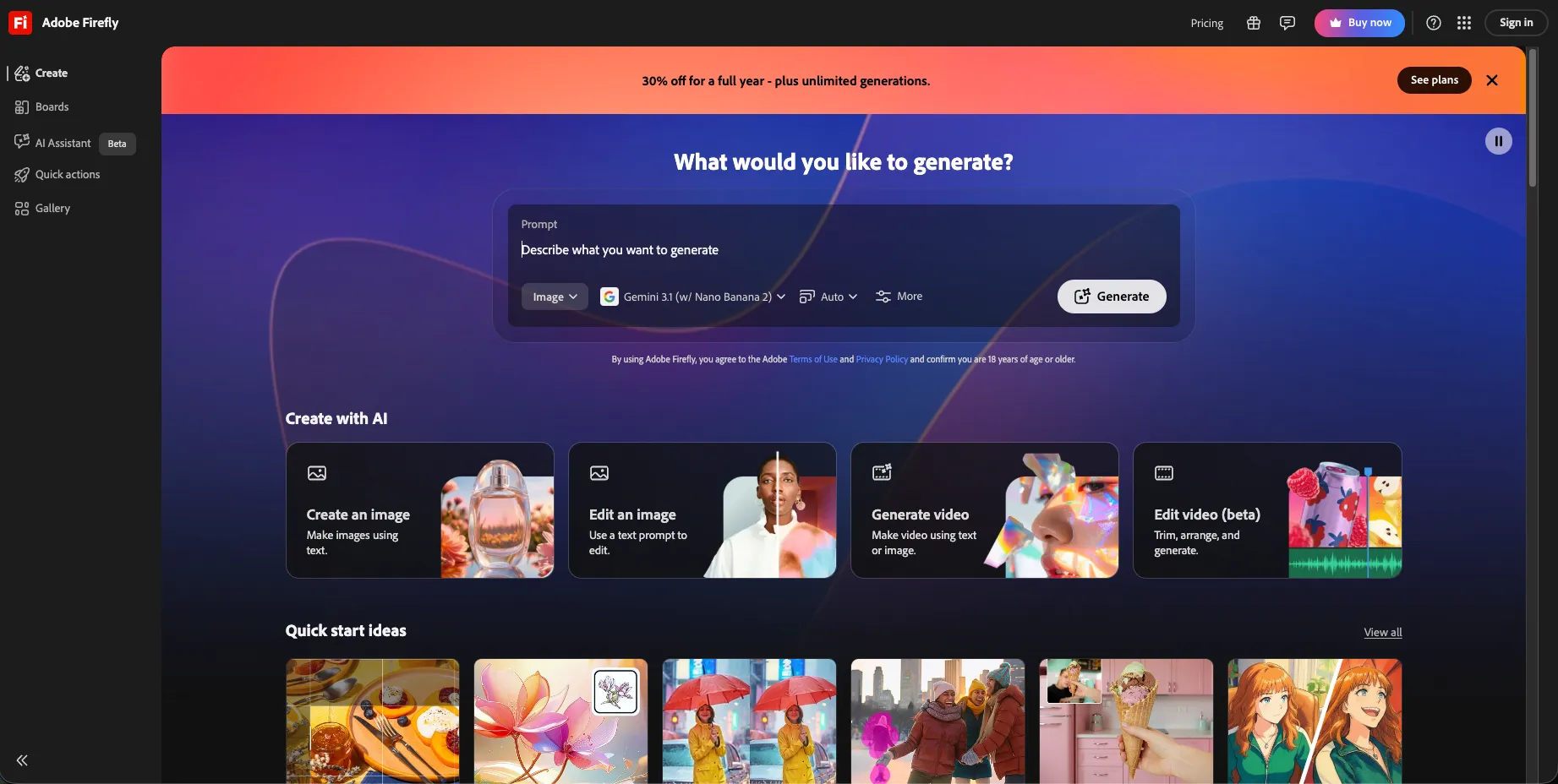
Adobe Firefly Generate Video Review: Best for Brand-Conscious Professional Workflows
Adobe Firefly Generate Video is a strong choice for professionals who care about brand safety, ecosystem integration, and commercial creative workflows. It is especially relevant for designers, video editors, agencies, and brand teams already using Adobe products.
Adobe’s Firefly video generator supports text-to-video and image-to-video generation. Adobe states that generated videos are currently five seconds long, exported at 1080p resolution, and downloadable as MP4 files. Adobe also explains that generative credits are used for high-quality image, vector, video, and audio outputs across Firefly and supported Creative Cloud apps.
The biggest appeal of Adobe Firefly is trust and professional positioning. For many brands, legal clarity and commercial confidence matter as much as visual creativity. Adobe has built Firefly around professional creative workflows, and that makes it attractive for teams that cannot take unnecessary licensing risks.
Key Features
Text-to-video generation.
Image-to-video generation.
1080p MP4 video output.
Adobe Firefly and Creative Cloud ecosystem integration.
Generative credit-based usage.
Access to premium features and non-Adobe models depending on plan.
Adobe Firefly’s main page says users can generate and edit video, audio, images, and designs using models from Adobe, Google, OpenAI, Runway, and more.
Advantages
Adobe Firefly is excellent for professionals who want AI video creation inside a trusted creative ecosystem. If you already use Photoshop, Illustrator, Premiere Pro, or other Adobe tools, Firefly feels like a natural extension of that workflow.
Another advantage is its suitability for brand-conscious work. Creative teams often need to show clients or stakeholders that their tools are credible, commercially responsible, and professionally supported. Adobe’s positioning gives Firefly a strong advantage in that area.
Best-Fit Considerations
Firefly is currently more suitable for short, polished visual clips, product concepts, B-roll, motion ideas, and campaign visuals than for long-form video generation. If you need longer videos, you may pair it with editing tools or use it alongside platforms like InVideo AI. But for professional visual ideation and commercially mindful AI video work, Firefly is one of the strongest options.
Pricing
Adobe Firefly Standard is listed at US$9.99/month with 2,000 monthly generative credits, including access to premium features such as video generation and non-Adobe models. Adobe says this can generate up to 20 five-second videos or translate up to six minutes of audio or video. Adobe also offers additional generative credit options, and users should check the official plan page before subscribing.
Best For:
Adobe users, Professional creators, Brand teams, Agencies, and Businesses that care about commercial confidence.
Key Highlights
Best for brand-conscious and professional workflows.
Strong fit for Adobe users and design teams.
Supports short 1080p MP4 AI video output.
Credit-based pricing is important to review before subscribing.
Head-to-Head Recommendation: Which AI Video Generator Should You Choose?
If you are a creative professional, the best AI video generator depends on the type of work you produce most often. A social media creator does not need the same tool as a corporate brand team. A designer working on client campaigns may need different support than a YouTuber creating weekly videos.
👉 Choose OpenArt AIif your work involves visual storytelling, characters, concept art, experimental visuals, and creative exploration. It is a strong fit when you want an AI studio that supports both images and video ideas.
👉 Choose PixVerse AI if your priority is short-form content, fast visual experiments, and social media clips. It is especially useful for creators who want to turn prompts or images into engaging motion quickly.
👉 Choose Renderforest if you want structured, professional-looking business videos. It is a strong fit for small businesses, marketers, educators, and teams that prefer templates, branding tools, and practical video formats.
👉 Choose InVideo AI if you create marketing videos, YouTube content, explainers, ads, or regular content for clients. Its strength is the broader content workflow, including AI models, stock access, and longer video generation support.
👉 Choose Envato AI Video Generator if you are a designer, freelancer, or agency professional who needs AI video along with templates, music, stock assets, graphics, and commercial creative resources.
👉 Choose Adobe Firefly if your work is brand-conscious, professional, and connected to the Adobe ecosystem. It is especially useful for short polished clips, campaign concepts, B-roll ideas, and commercial creative workflows.
Key Highlights
OpenArt AI is best for creative exploration.
PixVerse AI is best for short social videos.
Renderforest is best for business-friendly templates.
InVideo AI is best for marketing and content workflows.
Envato is best for creative asset-supported projects.
Adobe Firefly is best for brand-conscious professional use.
Pros and Cons Summary Table
To keep the comparison balanced, think of these not as “weaknesses,” but as best-fit considerations. Every tool in this list can be useful when matched with the right creative need.
Tool
Pros
Best-Fit Considerations
OpenArt AI
Flexible creative studio, multi-model support, strong for storytelling and concepts
Best for users who enjoy creative experimentation and credit-based workflows
PixVerse AI
Fast, social-friendly, good for text/image-to-video clips
Best for short-form videos rather than structured long-form business content
Renderforest
Business templates, branding tools, guided video creation
Best for polished business videos rather than highly experimental cinematic clips
InVideo AI
Broad content workflow, many models, stock access, AI video agent
Best for creators who produce regular marketing or YouTube-style content
Envato AI Video Generator
AI video plus templates, music, graphics, and creative assets
Best for designers and agencies who need a full creative asset ecosystem
Adobe Firefly
Adobe ecosystem, professional positioning, 1080p MP4 output
Best for short professional clips and brand-conscious creative workflows
Pricing Comparison: What You Should Know Before Subscribing
AI video pricing changes more often than traditional software pricing because many tools depend on credits, model usage, rendering quality, video length, and generation speed. That is why the smartest approach is to understand the pricing style first, then check the latest official pricing before subscribing.
For affiliate placement, I recommend adding a simple pricing CTA under each tool, such as “Check Latest Pricing” or “View Current Plan Details.” This keeps the article accurate even if plans, credits, or monthly limits change later.
Tool
Pricing Style
Current Pricing Note
OpenArt AI
Subscription with credits
Advanced plan shown at $14.50/seat/month annually with 12,000 credits
PixVerse AI
App/web/API pricing may vary
Official site emphasizes text/image-to-video and AI templates; verify current app pricing
Renderforest
Subscription with AI credits
Pro plan shown with 1,600 AI credits/month and approximate 160 AI videos
InVideo AI
Subscription with credits/model usage
Plus shown from $17/month billed yearly; paid plans include 200+ models
Envato AI Video Generator
Creative subscription ecosystem
Includes AI tools and creative assets; check current plan limits
Adobe Firefly
Generative credits
Firefly Standard shown at $9.99/month with 2,000 credits
OpenArt, Renderforest, InVideo, and Adobe publish plan or credit details on their official pricing pages, but because AI generation costs can depend on video model, resolution, duration, and output type, readers should always confirm the latest plan before subscribing.
Final Thoughts: Choosing the Best AI Video Tool for Your Workflow
f you are still unsure which tool to choose, start by asking one simple question: What kind of video do I need to create most often? That answer will usually point you in the right direction faster than comparing every feature line by line.
For creative storytelling and experimental visual work, OpenArt AI is a strong choice. For fast, social-first clips, PixVerse AI is a natural fit. For business videos and branded templates, Renderforest is practical and beginner-friendly. For marketing videos, YouTube content, and regular production workflows, InVideo AI is highly useful.
For designers and agencies who need AI generation along with templates, music, graphics, and stock resources, Envato AI Video Generator offers a broader creative ecosystem. For professional teams, Adobe users, and brand-conscious creators, Adobe Firefly Generate Video is one of the most trustworthy options because it fits naturally into a commercial creative workflow.
The best tool is not always the one with the longest feature list. It is the one that helps you create better videos with less confusion, less delay, and more confidence. Start with the tool that matches your real content needs, test a few projects, and then upgrade only when the workflow genuinely supports your creative goals.
Frequently Asked Questions
The best AI video generator depends on your workflow. OpenArt AI is great for creative exploration,
PixVerse AI is strong for social videos, Renderforest is useful for business videos, InVideo AI works
well for marketing content, Envato is ideal for asset-supported design work, and Adobe Firefly is strong
for professional brand-conscious workflows.
Renderforest and InVideo AI are good beginner-friendly options because they offer more guided workflows.
Renderforest is especially helpful for templates and branding, while InVideo AI is useful for creators
who want help with scripts, stock footage, and video structure.
PixVerse AI is a strong choice for short-form social media videos because it focuses on text-to-video,
image-to-video, and quick creative effects. OpenArt AI can also be useful if you want more visual
experimentation before creating social content.
Renderforest is one of the best choices for business videos because it combines AI video creation with
templates, branding tools, and practical formats for promotional videos, explainers, intros, and
presentations.
InVideo AI is a strong option for marketing videos because it supports a broader content workflow. It
includes access to multiple models, stock providers, and AI-assisted video creation tools that can help
with ads, explainers, YouTube content, and campaign videos.
Commercial usage depends on the platform, plan, model, and licensing terms. Tools like Adobe Firefly and
Envato place strong emphasis on professional and commercial creative workflows, but users should always
review the latest license terms before using generated videos in paid campaigns or client projects.
Some AI video generators offer free access, trials, limited credits, or basic plans, but serious creative
work usually requires a paid plan. Free plans are useful for testing, while paid plans typically provide
more credits, better quality, faster generation, and commercial-use options.
Text-to-video is better when you want to generate a scene from an idea or prompt. Image-to-video is better
when you already have a product image, character, design, or reference visual and want to animate it.
Creative professionals often use both depending on the project.
Adobe Firefly and InVideo AI serve different needs. Adobe Firefly is better for short, polished,
brand-conscious AI video clips inside a professional creative ecosystem. InVideo AI is better for broader
marketing and content workflows, especially when you need scripts, stock assets, and longer video structure.
Agencies may benefit most from Envato, InVideo AI, Adobe Firefly, and Renderforest, depending on their
work. Envato is helpful for creative assets, InVideo AI for marketing video workflows, Adobe Firefly for
brand-conscious projects, and Renderforest for quick branded business videos.
With over 15 years of corporate experience in brokerage operations, he has a strong interest in technology, web development, AI-powered tools, design, and digital marketing. With a postgraduate background in Business Analytics and Business Intelligence, he combines practical industry experience with an analytical and technology-driven approach to digital content, SEO, and user-focused web experiences.